Exploring 15 Cymatics Photoshop Stamp Brushes for Creative Projects
Cymatics, the study of visible sound and vibration patterns, has long fascinated scientists and artists alike. These intricate visualizations, created by vibrating surfaces covered in fine particles or fluids, reveal mesmerizing geometric forms that echo the natural world. In recent years, digital artists have found a way to bring these patterns into their creative workflows through Cymatics Photoshop Stamp Brushes. These brushes are not only visually stunning but also incredibly versatile tools that can enhance a wide range of design projects.
What Are Cymatics Photoshop Stamp Brushes?
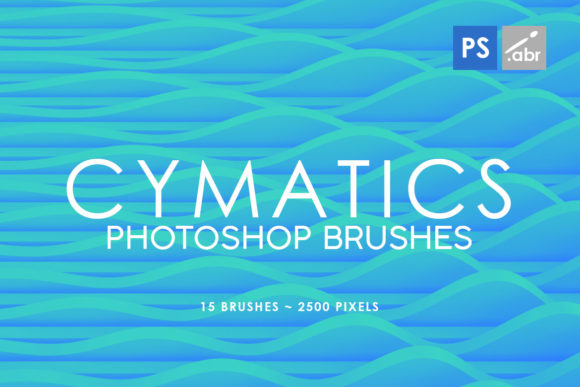
Cymatics Photoshop Stamp Brushes are high-resolution image files designed specifically for use within Adobe Photoshop. They are based on the visual patterns formed when sound waves interact with physical media such as sand, water, or powders. Each brush contains a unique cymatic pattern that can be applied to images, backgrounds, or other digital artwork.
The 15 Cymatics Photoshop Stamp Brushes mentioned here come in a package that includes all versions from Photoshop CS2 up to CC. This makes them compatible with a wide range of users, whether you're using an older version of the software or the latest release. The brushes are sized at 2500 pixels, ensuring they maintain their quality even when scaled up for large-format prints or high-resolution displays.
Why Use Cymatics Photoshop Stamp Brushes?
The appeal of cymatics lies in its ability to transform sound into visual art. For designers and artists, this means having access to a library of patterns that can add depth, texture, and interest to any project. Whether you're working on a digital painting, a graphic design layout, or a game concept art piece, these brushes can elevate your work in unexpected ways.
- Photo Overlays: Use these brushes as overlays to add subtle textures or patterns to photographs. This can give your images a more artistic feel without overpowering the original content.
- Digital Photo Manipulation: Incorporate cymatic patterns into your photo editing process to create surreal or dreamlike effects. These brushes can help blend different elements together seamlessly.
- Visual Effects for Games: Game developers can benefit from using these brushes to create unique visual effects that stand out in a crowded market. The organic, flowing nature of cymatic patterns can add a sense of movement and energy to game environments.
- Decorative Elements: These brushes are perfect for adding decorative touches to web designs, posters, or packaging. Their intricate details can serve as eye-catching accents that draw the viewer's attention.
How to Get the Most Out of These Brushes
To make the most of these Cymatics Texture Photoshop Stamp Brushes, it's important to understand how they work within Photoshop. Here are some tips to help you get started:
- Load the Brushes: Open Photoshop and go to the Brush panel. Click on the menu icon and select "Load Brushes." Navigate to the folder where you've saved the downloaded brushes and load them into your workspace.
- Adjust Opacity and Flow: Experiment with different opacity and flow settings to achieve the desired effect. Lowering the opacity can help blend the cymatic patterns with the underlying image, while increasing the flow can create bolder, more pronounced textures.
- Use Layer Modes: Try applying the brushes using different layer modes such as Overlay, Multiply, or Screen. These modes can dramatically change how the patterns interact with your existing artwork.
- Combine with Other Tools: Don't be afraid to combine these brushes with other Photoshop tools like gradients, filters, or blending modes. This can lead to some truly unique and dynamic results.
The Significance of Cymatics in Modern Design
In today's fast-paced digital world, standing out is more important than ever. Designers and artists are constantly looking for new ways to differentiate their work and capture the attention of their audience. Cymatics offers a fresh perspective that can set your projects apart from the competition.
The use of cymatic patterns in design is not just about aesthetics—it's also about creating a deeper connection between the viewer and the artwork. These patterns have a natural, organic feel that can evoke emotions and spark curiosity. By incorporating cymatic elements into your designs, you're not just adding visual interest; you're telling a story through form and structure.
Common Misconceptions About Cymatics Brushes
Despite their growing popularity, there are still some misconceptions about what cymatics brushes can do. One common misunderstanding is that they are only suitable for abstract or experimental art. While it's true that these brushes excel in such contexts, they can also be used effectively in more traditional design applications.
Another misconception is that using cymatics brushes requires advanced technical skills. In reality, these brushes are designed to be user-friendly and accessible to both beginners and professionals. With a little practice and experimentation, anyone can learn to incorporate these patterns into their workflow.
Practical Applications Across Industries
The versatility of cymatics brushes makes them useful across a variety of industries and disciplines. Let's take a look at some of the practical applications of these brushes in different fields:
- Graphic Design: Graphic designers can use these brushes to create unique textures for logos, brochures, and marketing materials. The intricate patterns can add a touch of sophistication and elegance to any design.
- Web Development: Web designers can incorporate cymatic patterns into website backgrounds, buttons, or hover effects to create a more engaging and interactive user experience.
- Interior Design: Interior designers can use these brushes to visualize patterns on walls, floors, or furniture. This can help clients better understand how different materials and textures will look in real life.
- Education: Educators can use cymatic patterns to teach students about sound, vibration, and waveforms. These brushes provide a visual representation of complex scientific concepts that can be easier to understand and remember.
Conclusion: Embrace the Beauty of Cymatics
Cymatics Photoshop Stamp Brushes offer a powerful and versatile tool for artists, designers, and creators of all levels. Whether you're looking to add a touch of elegance to your designs or explore the fascinating world of sound visualization, these brushes have something to offer everyone.
With their high-resolution quality and compatibility across multiple Photoshop versions, the 15 Cymatics Texture Photoshop Stamp Brushes are a valuable addition to any digital artist's toolkit. By experimenting with these brushes and combining them with other design techniques, you can unlock new creative possibilities and push the boundaries of your imagination.
So why wait? Dive into the world of cymatics and discover how these incredible patterns can transform your creative projects. Whether you're a seasoned professional or just starting out, there's never been a better time to explore the beauty and complexity of sound made visible.