30 Gouache Photoshop Stamp Brushes 3: A Versatile Tool for Digital Artists
For digital artists, designers, and creators, having the right tools can make all the difference in bringing a vision to life. One such tool that has gained popularity among professionals and hobbyists alike is the 30 Gouache Photoshop Stamp Brushes 3. These brushes are designed to mimic the texture and look of traditional gouache paint, offering a unique blend of realism and creativity in digital projects.
Understanding Gouache Texture in Digital Art
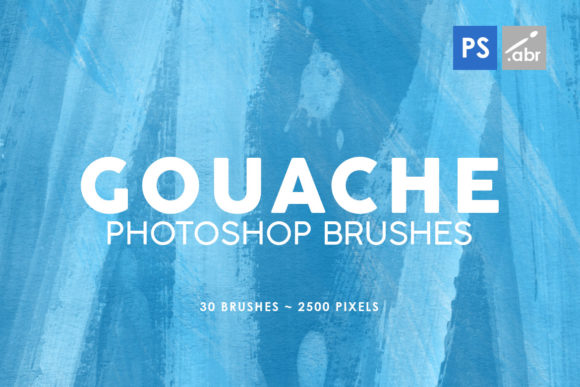
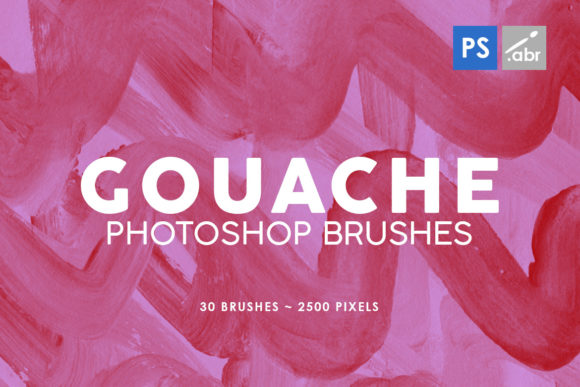
Gouache is a type of paint known for its opaque quality and vibrant colors. When translated into digital form, it offers an interesting texture that differs from watercolor or acrylics. The 30 Gouache Photoshop Stamp Brushes 3 aim to replicate this texture accurately, allowing users to apply gouache-like strokes and effects within Adobe Photoshop.
The brushes come in a set of 30 individual stamp brushes, each with a resolution of 2500 pixels. This high-resolution ensures that even when scaled up, the details remain sharp and clear. Whether you're working on illustrations, photo manipulations, or game art, these brushes provide a realistic touch that can elevate your work.
Features and Characteristics
- High-Resolution Textures: Each brush is crafted at 2500 pixels, making them suitable for both small and large-scale projects without losing detail.
- Versatility: These brushes can be used as overlays, decorative elements, or base textures for various digital art techniques.
- Compatibility: Designed for Photoshop CS2 through CC, they are compatible with most versions of Adobe Photoshop, ensuring broad usability.
- Realistic Gouache Effects: Mimics the opacity and texture of real gouache paint, adding depth and authenticity to digital artwork.
Applications and Use Cases
The 30 Gouache Photoshop Stamp Brushes 3 are not limited to a single use case. Their versatility allows them to be applied across a range of creative fields:
- Digital Illustration: Artists can use these brushes to create backgrounds, textures, or even entire scenes that have a hand-painted feel.
- Photo Manipulation: Adding gouache textures as overlays can help blend digital photos with painted elements, giving them a more artistic appearance.
- Game Art: Game developers can utilize these brushes to design UI elements, character designs, or environmental textures that stand out with a unique aesthetic.
- Decorative Elements: Web designers and graphic artists can incorporate these brushes into websites, posters, or promotional materials for added visual interest.
Whether you're a professional designer or a hobbyist, these brushes offer a way to add a distinctive texture to your work without needing physical paints or brushes.
Who Can Benefit?
The 30 Gouache Photoshop Stamp Brushes 3 cater to a wide audience:
- Graphic Designers: Looking for ways to enhance their visuals with a painterly effect.
- Illustrators: Seeking tools to simulate traditional painting techniques digitally.
- Photographers: Wanting to experiment with photo manipulation and texturing.
- Game Developers: Needing unique assets that stand out in digital environments.
- Business Owners: Creating marketing materials that have a personal, artistic flair.
These brushes are particularly useful for those who want to explore mixed media styles or integrate traditional art techniques into their digital workflow.
Strengths and Considerations
The main strength of the 30 Gouache Photoshop Stamp Brushes 3 lies in their ability to deliver a realistic gouache texture. They are ideal for anyone looking to add a tactile, painterly feel to their digital creations. However, there are some considerations to keep in mind:
- Learning Curve: While the brushes are easy to use, mastering the technique of applying them effectively may take some practice.
- File Size: As high-resolution images, they may take up more space on your hard drive compared to lower-resolution alternatives.
- Layer Management: Using multiple brushes may require careful layer organization to maintain control over the final composition.
Despite these factors, the benefits often outweigh the challenges, especially for those who value authenticity in their digital art.
Practical Examples and Real-World Scenarios
Let's consider a few practical examples where the 30 Gouache Photoshop Stamp Brushes 3 could be used effectively:
Example 1: A graphic designer working on a poster for a music festival might use these brushes to create a background that mimics hand-painted textures, giving the poster a unique, artistic edge.
Example 2: An illustrator creating a children's book could use the brushes to add subtle textures to characters or backgrounds, enhancing the visual appeal and storytelling aspect.
Example 3: A photographer editing a portrait might apply one of these brushes as an overlay to give the image a soft, painterly finish, blending the digital and artistic worlds seamlessly.
Evaluating Suitability for Your Projects
Before investing in the 30 Gouache Photoshop Stamp Brushes 3, it's important to evaluate whether they align with your specific needs:
- Project Type: Are you working on illustrations, photo manipulations, or something else? Ensure the brushes fit the style and purpose of your project.
- Style Preference: If you prefer a more digital or more traditional look, these brushes may or may not be the best fit.
- Workflow Compatibility: Check if the brushes are compatible with your version of Photoshop and how they integrate into your existing workflow.
- Budget: Consider the cost in relation to the value they bring to your work and whether they justify the investment.
By carefully assessing these factors, you can determine whether the 30 Gouache Photoshop Stamp Brushes 3 will be a valuable addition to your digital toolkit.
Conclusion
The 30 Gouache Photoshop Stamp Brushes 3 offer a compelling option for anyone looking to infuse their digital projects with the rich, textured look of gouache paint. With their high-resolution textures, compatibility across Photoshop versions, and wide range of applications, these brushes are a versatile asset for creators in various fields. Whether you're an artist, designer, or hobbyist, exploring the potential of these brushes can open new avenues for creativity and expression in your work.